
workflow-bpmn-modeler-andtv-vue3
v10.2.1
Published
基于 `Vue3` + `TypeScript` + `Ant Design Vue` 和 `[email protected]` ,实现 flowable 的 modeler 模型设计器

Maintainers
 ljk555
Readme
workflow-bpmn-modeler-andtv-vue
🔥 本项目基于 Vue3 + TypeScript + Ant Design Vue 和 [email protected] ,实现 flowable 的 modeler 流程设计器
特性
- ✅ 基于 Vue3 + TypeScript + Ant Design Vue
- ✅ 支持 Flowable BPMN 2.0 标准
- ✅ 完整的流程设计器功能
- ✅ 支持用户、组、分类配置
- ✅ 支持执行监听器、任务监听器、多实例等高级功能
- ✅ 支持信号定义和事件处理
- ✅ 响应式设计,支持移动端
- ✅ 完整的 TypeScript 类型支持
预览
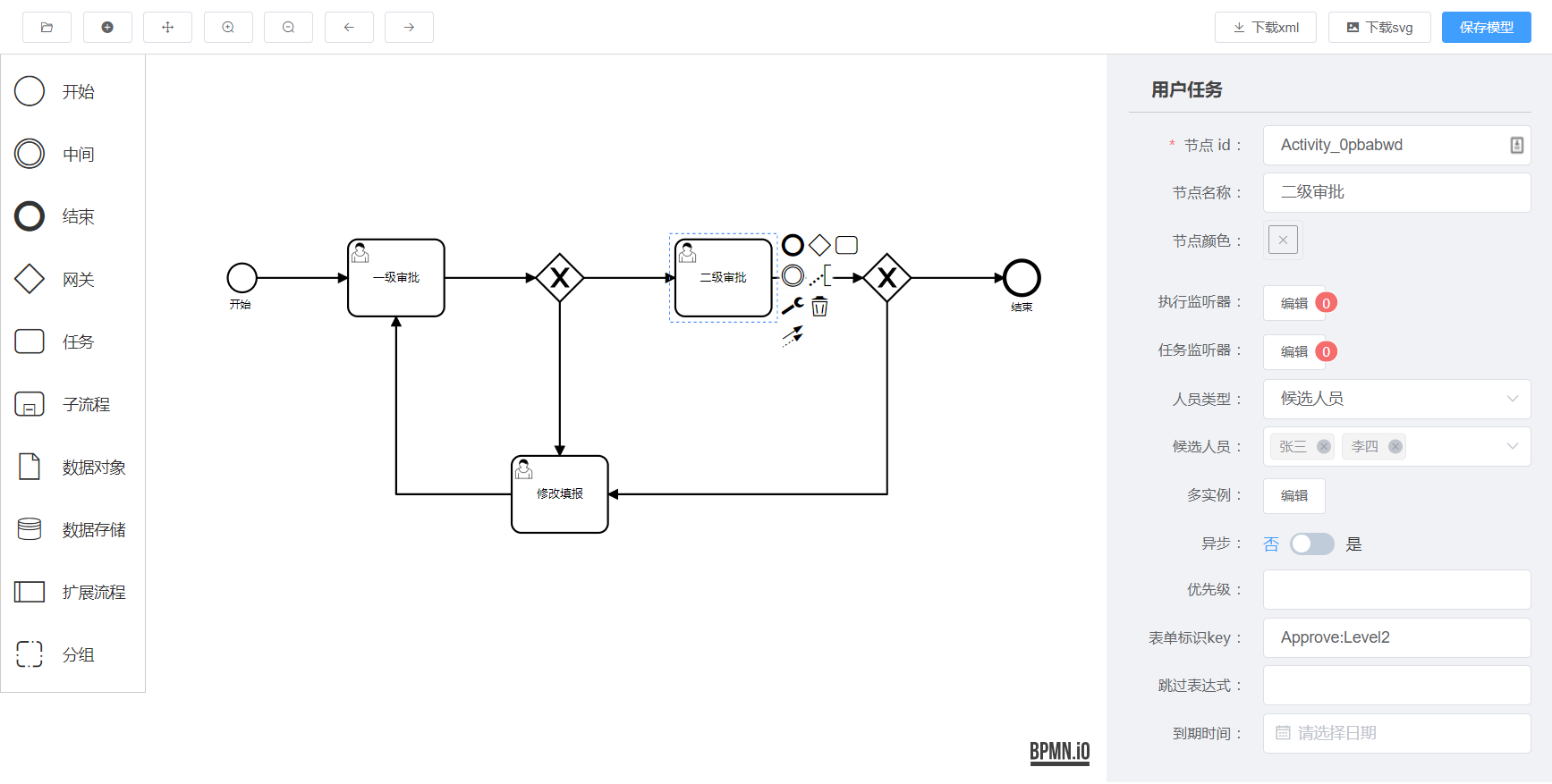
在线 demo
👉 https://goldsubmarine.github.io/workflow-bpmn-modeler/demo/
安装
# 使用 npm
npm install workflow-bpmn-modeler-andtv-vue

# 使用 yarn
yarn add workflow-bpmn-modeler-andtv-vue

# 使用 pnpm
pnpm add workflow-bpmn-modeler-andtv-vue
使用说明(最简 demo)
<template>
  <div>
    <WorkflowBpmnModeler
      ref="refNode"
      :xml="xml"
      :users="users"
      :groups="groups"
      :categorys="categorys"
      :is-view="false"
      @save="save"
    />
  </div>
</template>

<script setup lang="ts">
import { ref } from 'vue'
import WorkflowBpmnModeler from 'workflow-bpmn-modeler-andtv-vue3'

// 用户数据
const users = ref([
  { name: "张三", id: "zhangsan" },
  { name: "李四", id: "lisi" },
  { name: "王五", id: "wangwu" },
])

// 组数据
const groups = ref([
  { name: "web组", id: "web" },
  { name: "java组", id: "java" },
  { name: "python组", id: "python" },
])

// 分类数据
const categorys = ref([
  { name: "OA", id: "oa" },
  { name: "财务", id: "finance" },
])

// XML 数据
const xml = ref('') // 后端查询到的xml

// 保存回调
const save = (data: any) => {
  console.log(data) // { process: {...}, xml: '...', svg: '...' }
}
</script>
全局注册使用
import { createApp } from 'vue'
import App from './App.vue'
import WorkflowBpmnModeler from 'workflow-bpmn-modeler-andtv-vue3'

const app = createApp(App)
app.use(WorkflowBpmnModeler)
app.mount('#app')
在 Vue 2 项目中使用
如果你需要在 Vue 2 项目中使用,可以通过 iframe 的方式集成该流程设计器。
本仓库通过 github pages 部署了静态页面,使用 jsdelivr 做 cdn ,国内访问也非常快速,所以你可以直接集成本仓库的页面。
集成方式如下:
<!DOCTYPE html>
<html lang="en">
  <body>
    <iframe
      src="https://goldsubmarine.github.io/workflow-bpmn-modeler/cdn/1.0.0/"
      id="myFrame"
      frameborder="0"
      width="100%"
      height="800px">
    </iframe>

    <script>
      let myFrame = document.getElementById("myFrame");
      // 获取到流程详情
      window.addEventListener("message", (event) => {
        console.log(event.data); // { xml: 'xxx', img: 'xxx', process: {} }
      });
      myFrame.onload = () => {
        let postMsg = {
          xml: "", // 后端查询到的xml,新建则为空串
          users: [
            { name: "张三1", id: "zhangsan" },
            { name: "李四1", id: "lisi" },
            { name: "王五1", id: "wangwu" },
          ],
          groups: [
            { name: "web组1", id: "web" },
            { name: "java组1", id: "java" },
            { name: "python组1", id: "python" },
          ],
          categorys: [
            { name: "OA1", id: "oa" },
            { name: "财务1", id: "finance" },
          ],
          isView: false
        }
        // 设置初始化值
        myFrame.contentWindow.postMessage(postMsg, "*")
      }
    </script>
  </body>
</html>
API 文档
Props
| 参数 | 说明 | 类型 | 默认值 | |------|------|------|--------| | xml | BPMN XML 字符串 | string | '' | | users | 用户列表 | Array<{name: string, id: string}> | [] | | groups | 组列表 | Array<{name: string, id: string}> | [] | | categorys | 分类列表 | Array<{name: string, id: string}> | [] | | is-view | 是否为只读模式 | boolean | false |
Events
| 事件名 | 说明 | 回调参数 | |--------|------|----------| | save | 保存时触发 | (data: {process: object, xml: string, svg: string}) |
关于定制
本组件对标的是 flowable 官方设计器,也就是实现 flowable 的 xml 规则标准,里面所用名词也都是官方文档中的专业术语。所以这个组件只是程序员在开发阶段,自己建模导出 xml 的工具,试图定制该建模器的行为都是不对的,不要把业务带到建模器中来!自己的业务应该另行开发增删改查来实现。
技术栈
- Vue 3.3+
- TypeScript 5.0+
- Ant Design Vue 4.0+
- BPMN.js 8.10+
- SCSS
开发
# 克隆项目
git clone https://github.com/GoldSubmarine/workflow-bpmn-modeler.git

# 安装依赖
pnpm install

# 启动开发服务器
pnpm dev

# 构建库
pnpm build
赞助支持

License
Copyright (c) 2020-present, charles