
workspace-updater
v2.2.0
Published
A utility to check for outdated dependencies in a pnpm workspace catalog.


Readme
workspace-updater
workspace-updater is a command-line utility for managing dependencies in your pnpm-workspace.yaml catalog. It helps you:
- Check for outdated dependencies in your catalog and update them
- Find duplicate dependencies across child packages that could be hoisted to the catalog
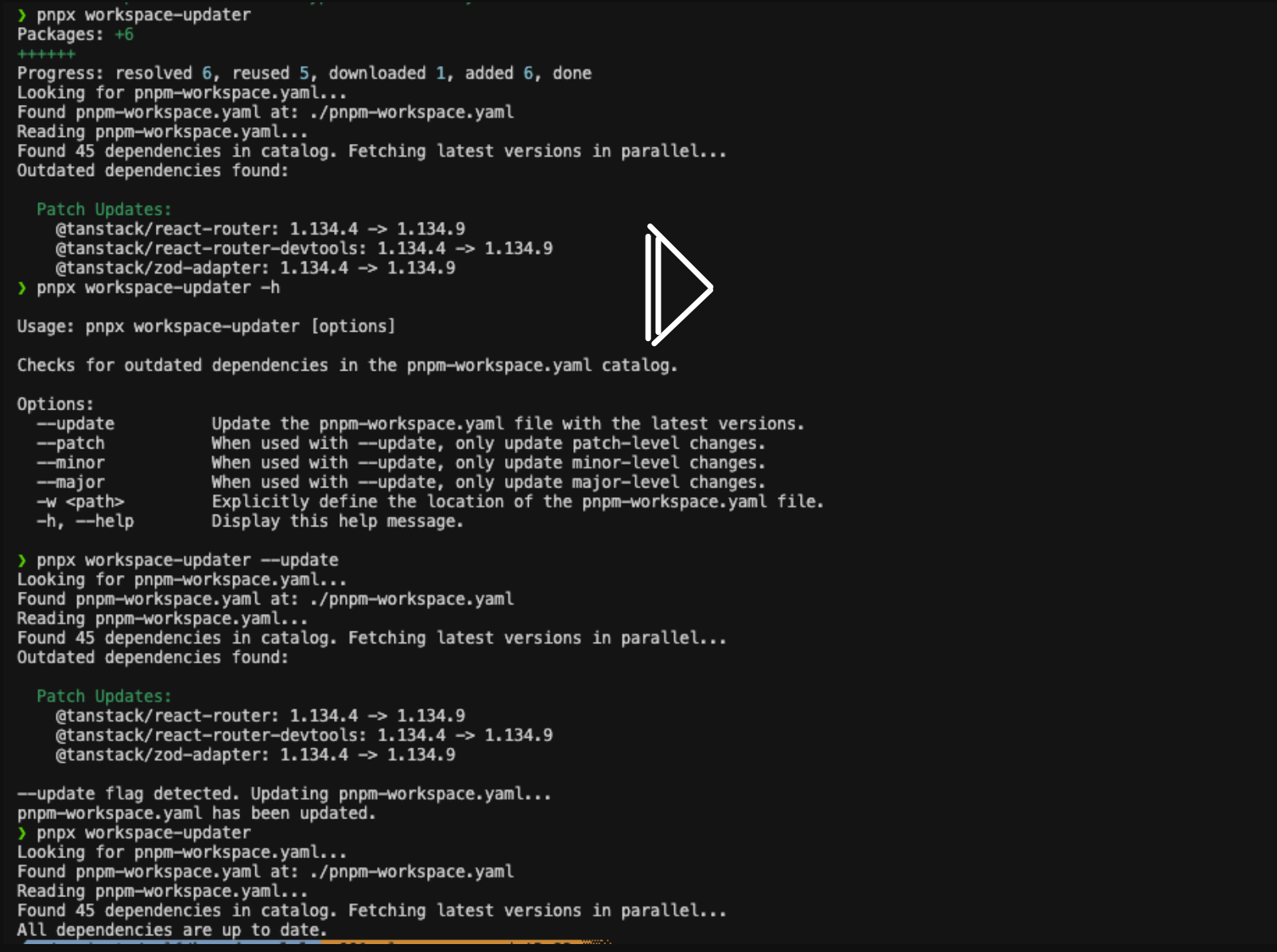
Installation
pnpm add -D workspace-updaterOr run directly with:
bunx workspace-updater
# or
pnpx workspace-updater
Commands
Check for Outdated Dependencies (default)
Check all dependencies in your pnpm-workspace.yaml catalog against npm registry:
workspace-updaterUpdate Dependencies
Automatically update your catalog with latest versions:
# Update all outdated deps
workspace-updater --update

# Update only patch versions (safest)
workspace-updater --update --patch

# Update minor and patch versions
workspace-updater --update --minor --patch

# Update everything including major versions
workspace-updater --update --major --minor --patch
Specify Workspace File
workspace-updater -w /path/to/pnpm-workspace.yamlFind Duplicate Dependencies (dupes)
Scan child packages for dependencies that appear in multiple package.json files but aren't yet in the catalog. This helps you identify opportunities to hoist shared dependencies.
workspace-updater dupes [path]Output
The command groups duplicates into two categories:
- Ready to Catalog: Dependencies with the same version across all packages
- Needs Resolution: Dependencies with different versions across packages
Options
| Flag | Description |
|------|-------------|
| -y | Automatically hoist ready-to-catalog deps to pnpm-workspace.yaml and update child package.json files to use catalog: |
| --resolve-latest | Pick the latest semver version for conflicting deps. Without -y, moves them to "Ready to Catalog" for preview. With -y, also hoists them. |
Examples
# Preview duplicates (dry run)
workspace-updater dupes

# Preview with conflicts resolved to latest version
workspace-updater dupes --resolve-latest

# Hoist all ready-to-catalog deps
workspace-updater dupes -y

# Resolve conflicts to latest AND hoist everything
workspace-updater dupes --resolve-latest -y

# Scan a specific monorepo
workspace-updater dupes /path/to/monorepo --resolve-latest -y
What -y Does
When you run with -y, the tool will:
- Add each duplicate dependency to the
catalog:section ofpnpm-workspace.yaml - Update each child
package.jsonto usecatalog:instead of the version string - Print a summary of changes
After running, execute pnpm install to update your lockfile.
Example Output
━━━ READY TO CATALOG (same version across packages) ━━━

  zod: ^3.24.1
    → @myorg/api
    → @myorg/webapp
    → @myorg/types

  typescript: ^5.3.2 (resolved)
    → docs
    → @myorg/core
    → @myorg/logger

━━━ NEEDS RESOLUTION (different versions) ━━━

  react
    ^18.2.0 → @myorg/webapp
    ^18.3.1 → @myorg/admin

━━━ SUMMARY ━━━

Ready to catalog (12):
  zod ^3.24.1
  typescript ^5.3.2 (resolved)
  ...

Needs resolution (1):
  react
Use in Git Hooks
Add to your pre-commit or post-merge hooks to keep dependencies in sync:
# .husky/post-merge
#!/bin/sh
bunx workspace-updater dupes --resolve-latest -y && pnpm install
Contributing
Contributions are welcome! If you have a feature request, bug report, or want to improve the code, please open an issue or submit a pull request.
License
This utility is licensed under the MIT License.