
xatkit-chat-widget
v0.7.0
Published
Chat web widget for Xatkit


Readme
xatkit-chat-widget


A React component to embed Xatkit chatbots in websites.
Installation
npm
npm install --save xatkit-chat-widgetyarn
yarn add xatkit-chat-widgetUsage
Using default values:
import {renderXatkitWidget} from 'xatkit-chat-widget'
import 'xatkit-chat-widget/lib/xatkit.css';

renderXatkitWidget();
Your HTML page should include:
<div id="xatkit-chat"></div>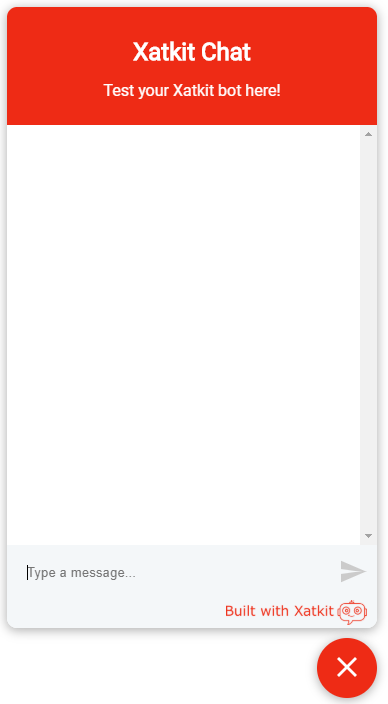
Using custom values
import {renderXatkitWidget} from 'xatkit-chat-widget'
import 'xatkit-chat-widget/lib/xatkit.css';

renderXatkitWidget(args);
Using the bundle directly in your HTML page
- Download xatkit.min.js and xatkit.min.css
- Example:
<html lang="en">
<head>
    <meta charset="UTF-8">
    <title>My title</title>
    <link href="./assets/xatkit.min.css" rel="stylesheet">
</head>
<body>
<div id="xatkit-chat"></div>
<!-- <div id="my-id"></div> -->

<script src="assets/xatkit.min.js"></script>
<script>
   xatkit.renderXatkitWidget();
  //xatkit.renderXatkitWidget(args);
</script>
</body>
</html>
Extra resources:
- xatkit.min.js.map: the source map of xatkit.min.js.
- xatkit.css: the non-minified version of xatkit.min.css.
API
Methods
renderXatkitWidget:
- Renders the Xatkit chat widget using custom parameters.
- Parameters:
args: an object that holds the widget configuration. The structure of the object is the following:
{
   server,
   username,
   widget: {
      title,
      subtitle,
      startMinimized,
      placeHolders:{
         sender,
         buttons
      },
      images:{
         ProfileAvatar,
         launcherImage
      }
   },
   location:{
      hostname,
      url,
      origin
   },
   storage:{
      location,
      autoClear
   }
}
| Parameter | Type | Required |Description | Default Value |
| --------------------| ------- | ---------|--------------------------------------------------- | ------------------------------------------------------------ |
| server | String | NO | The location of the Xatkit server to connect the component to (this URL must be the URL of the ReactPlatform socket.io endpoint) | "http://localhost:5001" (the default location of the ReactPlatform's socket.io server ) |
| username | String | NO | The name of the user currently conversing with the bot | 'username' |
| elementId | String | NO | The identifier of the DOM element to attach the component to. | 'xatkit-chat' (this means that you need to have a <div id="xatkit-chat"></div> element in your DOM) |
| widget.title | String | NO | The title of the bot's widget | 'Xatkit Chat' |
| widget.subtitle | String | NO | The subtitle of the bot's widget | 'Test your Xatkit bot here!' |
| widget.startMinimized | Boolean | NO | A flag telling whether the bot should start minimized | false |
| widget.placeHolders.sender | String | NO | The place holder text in the input field when no input is provided | "Type a message" | |
| widget.placeHolders.buttons| String | NO | The place holder text in the input field when quick buttons are provided | 'Choose an option' |
| widget.images.profileAvatar | String | NO | The URL of the image to display next to bot messages |  |
|
|
| widget.images.launcherImage | String | NO | The URL of the image to use in the launcher | |
| location.hostname | String | NO | Custom hostname of the web page loading the widget | The result of location.hostname |
| location.url | String | NO | Custom URL of the web page loading the widget | The result of location.href | | location.origin | String | NO | Custom origin (protocol, hostname, port number) of the web page loading the widget | The result of location.origin |
| storage.location | String | NO | Storage location of the user session. The possible values are local for localStorage and session for | sessionStorage | local |
| storage.autoClear | Boolean | NO | A flag telling wether to clear the session after reloading the page | false |
Notes:
- Widget adapted from react-chat-widget.
- Support for session saving and loading adapted from rasa-webchat.