xqclip
v0.1.3
Published
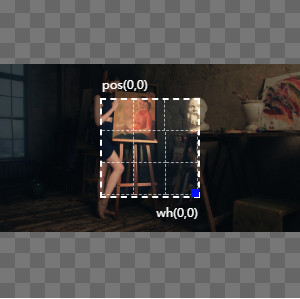
This is a js package that provides image cutting and export.


Readme
xqclip
This is a js package that provides image cutting and export.
Install
Browser:
import cdn
<!-- Css -->
<link rel="stylesheet" href="https://xqgj.cc/xqcdn/libs/xqclip/css/xqclip.min.css">
<!-- Browser -->
<script src="https://xqgj.cc/xqcdn/libs/xqclip/js/xqclip.min.js"></script>
<!-- es module -->
<script type="module">
    import xqclip from 'https://xqgj.cc/xqcdn/libs/xqclip/js/xqclip-esm.min.js';
</script>npm:
pnpm add xqclip
# or
npm i xqclip
Usage
browser
- page
<div class="corp"></div>
<img id="preview-img" class="clip-bg">
<button id="change">toggle img</button>
<a id="download">download img</a>- call
let clip = new xqclip({
    box: '.corp',
    boxWin: 300,
    boxHei: 300,
    url: './img/a1.jpg',
    pre: '#preview-img',
    scale: 16/16,
    showPos: true,
    scaleImg: true,
});

let downloadBtn = document.getElementById('download');
let changeBtn = document.getElementById('change');
let previewImg = document.getElementById('preview-img');
downloadBtn.addEventListener('click', function () {
    let url = previewImg.src;
    if (!url || url.indexOf('data:') !== 0) return;
    this.href = url;
    this.download = 'xqclip-' + new Date().getTime() + '.jpg';
});

changeBtn.addEventListener('click', function () {
    clip.replaceImg('./img/a2.png');
});
pre is optional: without it the widget still renders and only the preview
image is skipped. The cropped region is available at any time through
clip.getCanvasImgData(), which returns { base64, blob, file } after the
first selection change, and onChange receives the same object.
typescript
The package ships its own declarations, so the options and the crop data are typed without extra setup:
import XqClip from 'xqclip';
import type { ClipData, XqClipOptions } from 'xqclip';

const options: XqClipOptions = {
    box: '.corp',
    url: './img/a1.jpg',
    pre: '#preview-img',
    onChange(data: ClipData) {
        console.log(data.base64, data.file);
    },
};
const clip = new XqClip(options);
vue
The Vue entry is one component and one plugin that work on Vue 2 and Vue 3.
// Vue 3
import { createApp } from 'vue';
import xqClip from 'xqclip/vue';

createApp(App).use(xqClip);
// Vue 2
import Vue from 'vue';
import xqClip from 'xqclip/vue';
Vue.use(xqClip);- component
<div class="clip-bg" style="position:relative;">
    <xq-clip ref="clip" v-model="url" :options="clipOptions" @change="onClip"></xq-clip>
    <img id="small-img" src="" alt="">
    <button @click="replaceImg">toggle img</button>
</div>- call
export default {
    name: 'demo',
    data () {
        return {
            url: '/img/t1.jpg',
            clipOptions: {
                boxWin: 400,
                boxHei: 400,
                pre: '#small-img',
                scale: 16 / 16,
                showPos: true,
                scaleImg: true,
            },
        }
    },
    methods: {
        onClip (data) {
            console.log(data.base64, data.file);
        },
        replaceImg () {
            this.$refs.clip.replaceImg('/img/t2.png');
        },
        reset () {
            this.$refs.clip.reset();
        },
    }
}
The component props are options (the same configuration the browser build
takes, except box: the component owns its host element), modelValue, and the
legacy url. Both v-model contracts are covered: modelValue is preferred and
the Vue 2 model option maps v-model onto it, so v-model binds the source
image url on either major. replaceImg() keeps that binding in sync.
Events: ready (the core instance is mounted), change (a crop was produced),
and update:modelValue. Methods: replaceImg(url), reset(),
getCanvasImgData(), and getInstance().
The component's stylesheet is imported by the SFC itself. Consumers who mount
the raw SFC instead of the plugin use
import XqClip from 'xqclip/lib/vue/xqclip.vue'; it ships uncompiled, so a
Vue-aware bundler is required, exactly as for xqclip/vue.
Vue without a build step
The standalone CDN examples load Vue's global build, the UMD xqclip bundle, and one plain Options API component. Each page mounts exactly one component with one XqClip instance:
test/vue2.html: Vue 2.7 withnew Vue(...).$mount('#app').test/vue3.html: Vue 3.5 withVue.createApp(...).mount('#app').
They share test/vue-xqclip.component.js, which is a demo helper rather than a
package export. The package Vue entry above remains the bundler-oriented SFC and
plugin surface.
Earlier versions exported the Vue plugin from the package root. The root export
is now the browser class (import XqClip from 'xqclip'), and the plugin moved to
xqclip/vue.
View xqclip
Run pnpm test:browser to start the zero-dependency test server. It prints the
Browser, ESM, Vue 2, and Vue 3 URLs; the index is
http://127.0.0.1:4173/test/.
Run pnpm test for the DOM behavior harness, bundle checks, and demo contracts.
Run pnpm typecheck for the TypeScript sources.