
yahoo-pixelframe-uploader
v1.0.8
Published
<yahoo-pixelframe-uploader /> is a images / video uploader. It's a none UI web component. That means developers could design the whole stuff through <yahoo-pixelframe-uploader /> dispatch custom events.

Maintainers
 meistudioli
Readme
yahoo-pixelframe-uploader

<yahoo-pixelframe-uploader /> is a images / video uploader. It's a none UI web component. That means developers could design the whole stuff through <yahoo-pixelframe-uploader /> dispatch custom events.
Users could picked image / video files through the following methods.
- pick from file picker window.
- drag & drop files into drop zone
- direct copy / paste files which from file system or web page.
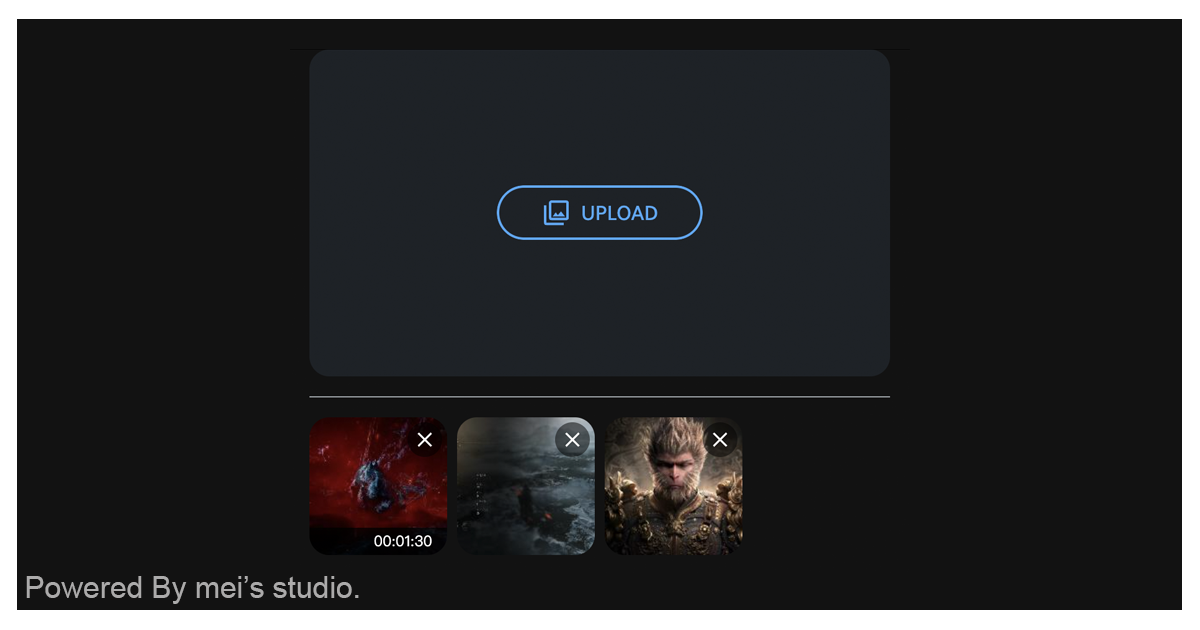
Basic Usage
<yahoo-pixelframe-uploader /> is a web component. All we need to do is put the required script into your HTML document. Then follow <yahoo-pixelframe-uploader />'s html structure and everything will be all set.
- Required Script
<script
  type="module"
  src="https://unpkg.com/yahoo-pixelframe-uploader/mjs/wc-yahoo-pixelframe-uploader.js">
</script>- Structure
Put <yahoo-pixelframe-uploader /> into HTML document.
<yahoo-pixelframe-uploader>
  <script type="application/json">
    {
      "multiple": true,
      "accept": ".jpg,.jpeg,.png,.gif,.webp,.avif,.mov,.mp4,.ogg,.webm",
      "imagelimitation": {
        "minwidth": 100,
        "minheight": 100,
        "size": 52428800
      },
      "videolimitation": {
        "minwidth": 100,
        "minheight": 100,
        "size": 314572800,
        "duration": 3600
      },
      "maximagecount": 5,
      "maxvideocount": 5,
      "webservice": {
        "token": {
          "url": "https://trendr-apac.media.yahoo.com/api/pixelframe/v1/aws/resources/s3/credentials?role=content-upload"
        },
        "upload": {
          "urls": {
            "video": "https://trendr-apac.media.yahoo.com/api/pixelframe/v1/videos/upload",
            "image": "https://trendr-apac.media.yahoo.com/api/pixelframe/v1/images/upload"
          },
          "params": {
            "targetType": "rating",
            "targetId": "auction2",
            "appName": "auction",
            "resizingProfile": "bid_seller_logo",
            "transcodingProfile": "auction"
          }
        }
      }
    }
  </script>

  <button
    type="button"
    class="buttons"
    slot="trigger"
  >
    UPLOAD
  </button>
</yahoo-pixelframe-uploader>
Remember set clickable content inside <yahoo-pixelframe-uploader /> as its child and set attribute "slot" as "trigger". It will turn on file picker window when user tapped.
JavaScript Instantiation
<yahoo-pixelframe-uploader /> could also use JavaScript to create DOM element. Here comes some examples.
<script type="module">
import { YahooPixelframeUploader } from 'https://unpkg.com/yahoo-pixelframe-uploader/mjs/wc-yahoo-pixelframe-uploader.js';

//use DOM api
const nodeA = document.createElement('yahoo-pixelframe-uploader');
document.body.appendChild(nodeA);
nodeA.multiple = true;
nodeA.maximagecount = 10;
nodeA.maxvideocount = 5;

// new instance with Class
const nodeB = new YahooPixelframeUploader();
document.body.appendChild(nodeB);
nodeB.multiple = false;

// new instance with Class & default config
const config = {
  "multiple": true,
  "accept": ".jpg,.jpeg,.png,.gif,.webp,.avif,.mov,.mp4,.ogg,.webm",
  "imagelimitation": {
    "minwidth": 100,
    "minheight": 100,
    "size": 52428800
  },
  "videolimitation": {
    "minwidth": 100,
    "minheight": 100,
    "size": 314572800,
    "duration": 3600
  },
  "maximagecount": 2,
  "maxvideocount": 1,
  "webservice": {
    "token": {
      "url": "https://trendr-apac.media.yahoo.com/api/pixelframe/v1/aws/resources/s3/credentials?role=content-upload"
    },
    "upload": {
      "urls": {
        "video": "https://trendr-apac.media.yahoo.com/api/pixelframe/v1/videos/upload",
        "image": "https://trendr-apac.media.yahoo.com/api/pixelframe/v1/images/upload"
      },
      "params": {
        "targetType": "rating",
        "targetId": "auction2",
        "appName": "auction",
        "resizingProfile": "bid_seller_logo",
        "transcodingProfile": "auction"
      }
    }
  }
};
const nodeC = new YahooPixelframeUploader(config);
document.body.appendChild(nodeC);
</script>
Style Customization
<yahoo-pixelframe-uploader /> is a none UI web componentom. Clients need to setup UI by themselves. So there will be no CSS hook to style it.
Attributes
<yahoo-pixelframe-uploader /> supports some attributes to let it become more convenience & useful.
- multiple
Set multiple or not. This should be boolean string. User could pick multi-files once multiple set.
<yahoo-pixelframe-uploader multiple>
  ...
</yahoo-pixelframe-uploader>- accept
Set accept. Same as input[accept]. Developers could set this to filter files by type.
<yahoo-pixelframe-uploader accept=".jpg,.jpeg,.png,.gif,.webp,.avif,.mov,.mp4,.ogg,.webm">
  ...
</yahoo-pixelframe-uploader>- imagelimitation
Set imagelimitation. This should be JSON boolean string. <yahoo-pixelframe-uploader /> will check image specs by this setting.
minwidth:image width must bigger than this.minheight:image height must bigger than this.size:image file size must under this.
<yahoo-pixelframe-uploader imagelimitation='{"minwidth":100,"minheight":100,"size":52428800}'>
  ...
</yahoo-pixelframe-uploader>- videolimitation
Set videolimitation. This should be JSON boolean string. <yahoo-pixelframe-uploader /> will check video specs by this setting.
minwidth:video width must bigger than this.minheight:video height must bigger than this.size:video file size must under this.duration:video duration must smaller than this.
<yahoo-pixelframe-uploader videolimitation='{"minwidth":100,"minheight":100,"size":314572800,"duration":3600}'>
  ...
</yahoo-pixelframe-uploader>- maximagecount
Set maximagecount. <yahoo-pixelframe-uploader /> will restrict image count which user picked each time.
<yahoo-pixelframe-uploader maximagecount="2">
  ...
</yahoo-pixelframe-uploader>- maxvideocount
Set maxvideocount. <yahoo-pixelframe-uploader /> will restrict video count which user picked each time.
<yahoo-pixelframe-uploader maxvideocount="1">
  ...
</yahoo-pixelframe-uploader>- webservice
Set webservice config. Web developers could set fetch config for "token" or "upload" web service.
token:Set url for token fetching.upload:Set urls and params for upload fetching.
<yahoo-pixelframe-uploader webservice='{"token":{"url":"https://trendr-apac.media.yahoo.com/api/pixelframe/v1/aws/resources/s3/credentials?role=content-upload"},"upload":{"urls":{"video":"https://trendr-apac.media.yahoo.com/api/pixelframe/v1/videos/upload","image":"https://trendr-apac.media.yahoo.com/api/pixelframe/v1/images/upload"},"params":{"targetType":"rating","targetId":"auction2","appName":"auction","resizingProfile":"bid_seller_logo","transcodingProfile":"auction"}}}'>
  ...
</yahoo-pixelframe-uploader>
Property
| Property Name | Type | Description |
| ----------- | ----------- | ----------- |
| multiple | Boolean | Getter / Setter <yahoo-pixelframe-uploader />'s multiple state. |
| accept | String | Getter / Setter <yahoo-pixelframe-uploader />'s accept. |
| imagelimitation | Object | Getter / Setter <yahoo-pixelframe-uploader />'s imagelimitation. <yahoo-pixelframe-uploader /> will check image specs by this setting. |
| videolimitation | Object | Getter / Setter <yahoo-pixelframe-uploader />'s videolimitation. <yahoo-pixelframe-uploader /> will check video specs by this setting. |
| maximagecount | Integer | Getter / Setter <yahoo-pixelframe-uploader />'s maximagecount. <yahoo-pixelframe-uploader /> will restrict image count which user picked each time. |
| maxvideocount | Integer | Getter / Setter <yahoo-pixelframe-uploader />'s maxvideocount. <yahoo-pixelframe-uploader /> will restrict video count which user picked each time. |
| webservice | Object | Getter / Setter <yahoo-pixelframe-uploader />'s webservice. Web developers could set fetch config for "token" or "upload" web service. <yahoo-pixelframe-uploader /> will restrict video count which user picked each time. |
| processing | Boolean | Getter <yahoo-pixelframe-uploader />'s processing state. |
Events
| Event Signature | Description |
| ----------- | ----------- |
| yahoo-pixelframe-uploader-pick | Fired when <yahoo-pixelframe-uploader /> user picked image / video files. Developers could gather picked information through event.detail. |
| yahoo-pixelframe-uploader-error | Fired when <yahoo-pixelframe-uploader /> error occured. Developers could gather information through event.detail. |
| yahoo-pixelframe-uploader-process-start | Fired when <yahoo-pixelframe-uploader /> upload process start. |
| yahoo-pixelframe-uploader-process-end | Fired when <yahoo-pixelframe-uploader /> upload process end. |
| yahoo-pixelframe-uploader-progress | Fired when <yahoo-pixelframe-uploader /> upload processing. Developers could gather id & progress through event.detail to setup each unit's progress status. |
| yahoo-pixelframe-uploader-done | Fired when <yahoo-pixelframe-uploader /> finished all upload procerss. Developers could gather results through event.detail. |
Mathod
| Mathod Signature | Description |
| ----------- | ----------- |
| passFiles(files) | Pass files which user picked to <yahoo-pixelframe-uploader />. (files should be blob format). |