
zsh-pnpm-completions
v1.0.10
Published
Smart pnpm completions for Z-shell with live npm search and workspace support
Downloads
72

Maintainers
 michakfromparis
Readme
zsh pnpm completions
Smart pnpm completions for Z-shell with live npm search and workspace support








⚡ Why This Helps
📝 Script Completion - Type pnpm run <TAB> and instantly see all your package.json scripts. No more cat package.json | grep scripts.
🔍 Live npm Search - Type pnpm add reac<TAB> and get real packages from npmjs.com including react, react-dom, and related packages.
🎯 Context-Aware - Knows the difference between pnpm add (suggests new packages) and pnpm remove (suggests installed packages)
📦 Optional 30+ Aliases - Every command has a short alias: p = pnpm, pa = pnpm add, pi = pnpm install, etc. (can be disabled during installation)
🎬 See It In Action
Script completion is the killer feature - no more hunting through package.json files:
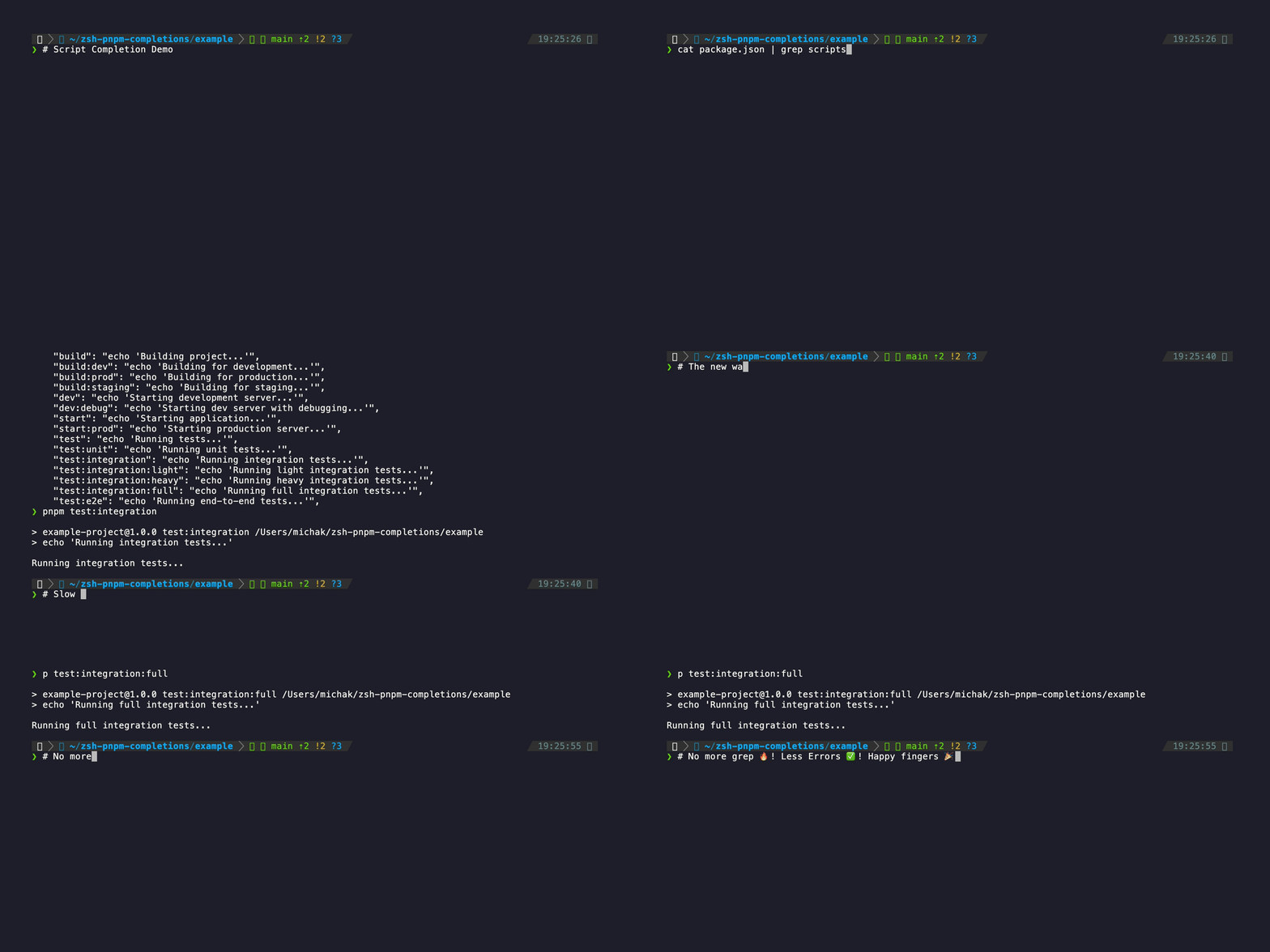
The old way vs. the new way - TAB completion transforms your workflow!
🚀 Quick Installation
Option 1: npx (Recommended)
Install globally using npx:
npx zsh-pnpm-completionsThis will automatically download and run the installer.
Option 2: Direct Script
Copy and paste this single command to install automatically:
bash <(curl -fsSL https://raw.githubusercontent.com/michakfromparis/zsh-pnpm-completions/main/setup.sh)That's it! The script will detect your zsh plugin manager and configure everything automatically.
Need more options? See the complete installation guide for manual installation methods.
⚙️ Installation Options
Install Without Aliases
If you prefer not to load the pnpm aliases (30+ shortcuts like p for pnpm, pa for pnpm add, etc.), you can install without them:
# Using npx
npx zsh-pnpm-completions --no-aliases

# Using direct script
bash <(curl -fsSL https://raw.githubusercontent.com/michakfromparis/zsh-pnpm-completions/main/setup.sh) --no-aliases
This sets the ZSH_PNPM_NO_ALIASES environment variable, which prevents the plugin from loading the alias definitions. You can always re-enable aliases later by removing this variable from your shell configuration.
Note: This only affects the loading of aliases - all completion functionality remains intact.
🎯 What You Get
- Script completion from your
package.json- the killer feature - Live package search from npm registry as you type
- Smart fallback to 50+ popular packages (React, Vue, TypeScript, Express, etc.)
- Workspace-aware completions via
pnpm-workspace.yaml - All pnpm commands including
dlx,patch,store,env - Optional lightning-fast aliases for every command (30+ shortcuts like
pforpnpm)
🗑️ Uninstall
To remove the plugin from your system:
# Via npx
npx zsh-pnpm-completions --uninstall

# Or via direct script
bash <(curl -fsSL https://raw.githubusercontent.com/michakfromparis/zsh-pnpm-completions/main/setup.sh) --uninstall
The uninstaller will:
- Remove plugin files from your system
- Clean up configuration from
~/.zshrc - Remove any auto-generated configurations
After uninstalling, restart your terminal or run source ~/.zshrc to fully deactivate the plugin.
📚 Documentation
- 📖 Complete Features Guide - All aliases, supported commands, and power user features
- 🛠️ Installation Guide - Manual installation methods and troubleshooting
- 🎬 Demo Scripts - How the demo gifs were created
Contributing
Contributions are welcome! Please feel free to submit a Pull Request.
License
MIT
Acknowledgments
This plugin is inspired by and based on:
- zsh-yarn-completions by chrisands - The original yarn completions that served as the foundation for this plugin
- pnpm - The fast, disk space efficient package manager this plugin supports
The structure and many of the completion functions are adapted from the yarn completions project, modified to work with pnpm's command structure and features, enhanced with live npm registry search and intelligent package discovery.